
For Marketers
Turn Campaign Data Into Reports That Win Clients
Visualize ad performance, social metrics, and ROI in charts and dashboards that tell the story, without needing a data analyst on your team.
Reporting
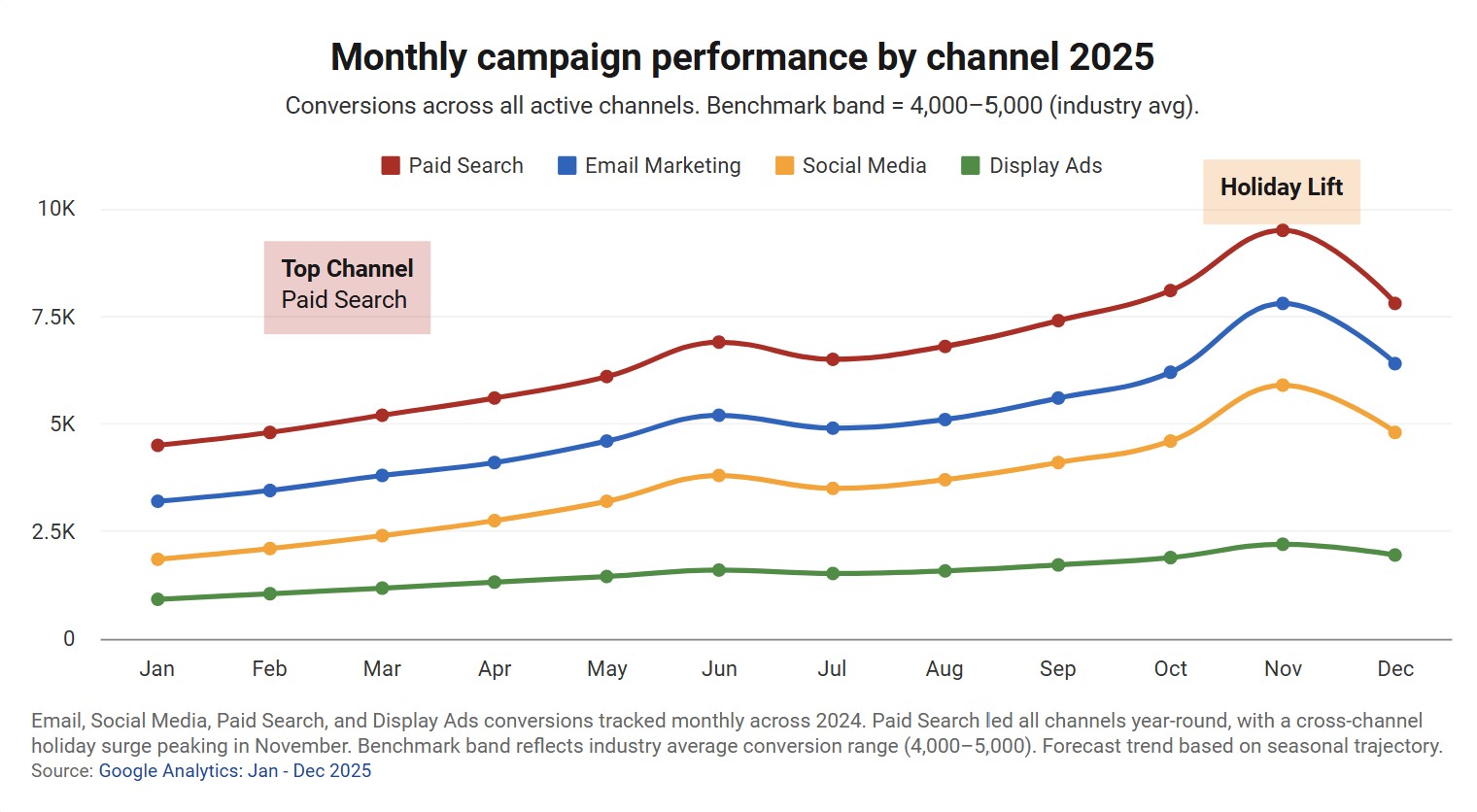
From Spreadsheet to Stakeholder-Ready in Minutes
Import your campaign metrics from CSV, Excel, or Google Sheets and generate polished charts instantly. Spend your time on strategy, not formatting.
Workflow
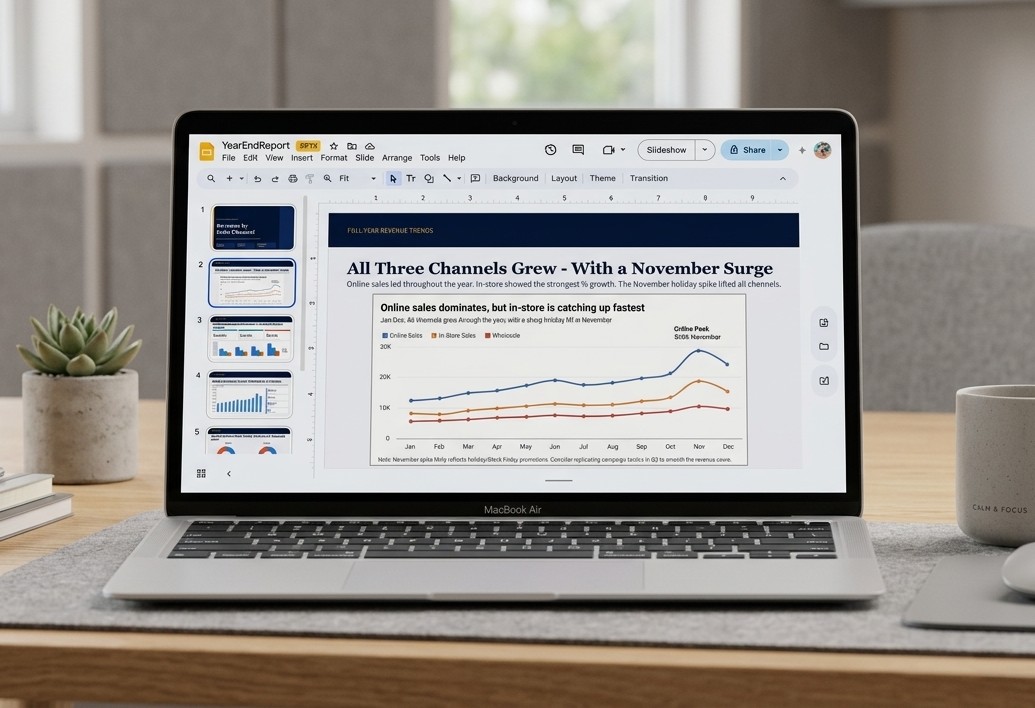
Drop Charts Into Your Existing Workflow
Export or embed: PNG, SVG, PDF, PowerPoint, or a live embed link.
Works with:
- Google Slides
- PowerPoint
- Notion
- Confluence
- HubSpot pages
- WordPress
- Webflow
- PDF reports
Dashboards
One Live Dashboard for Every Client
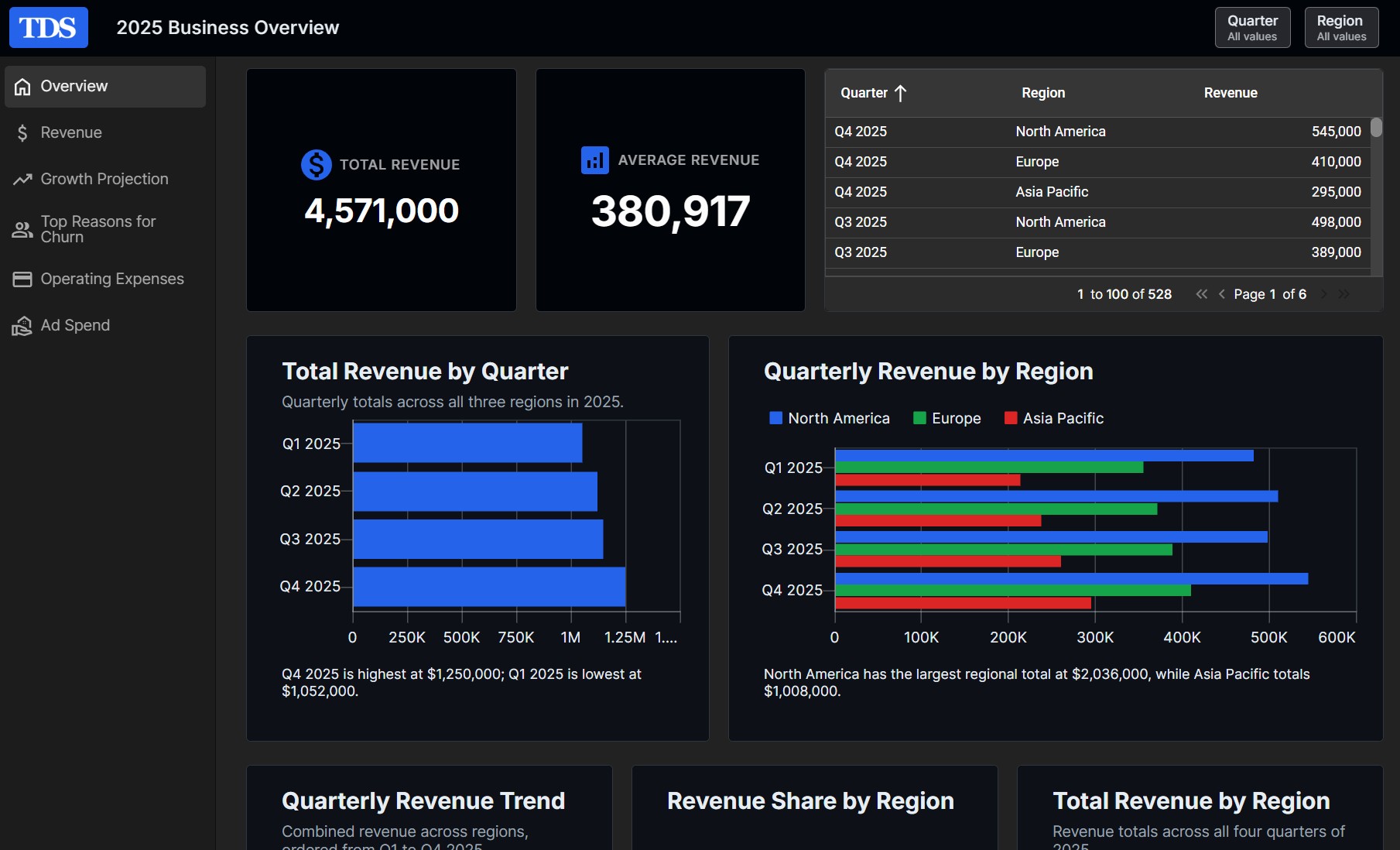
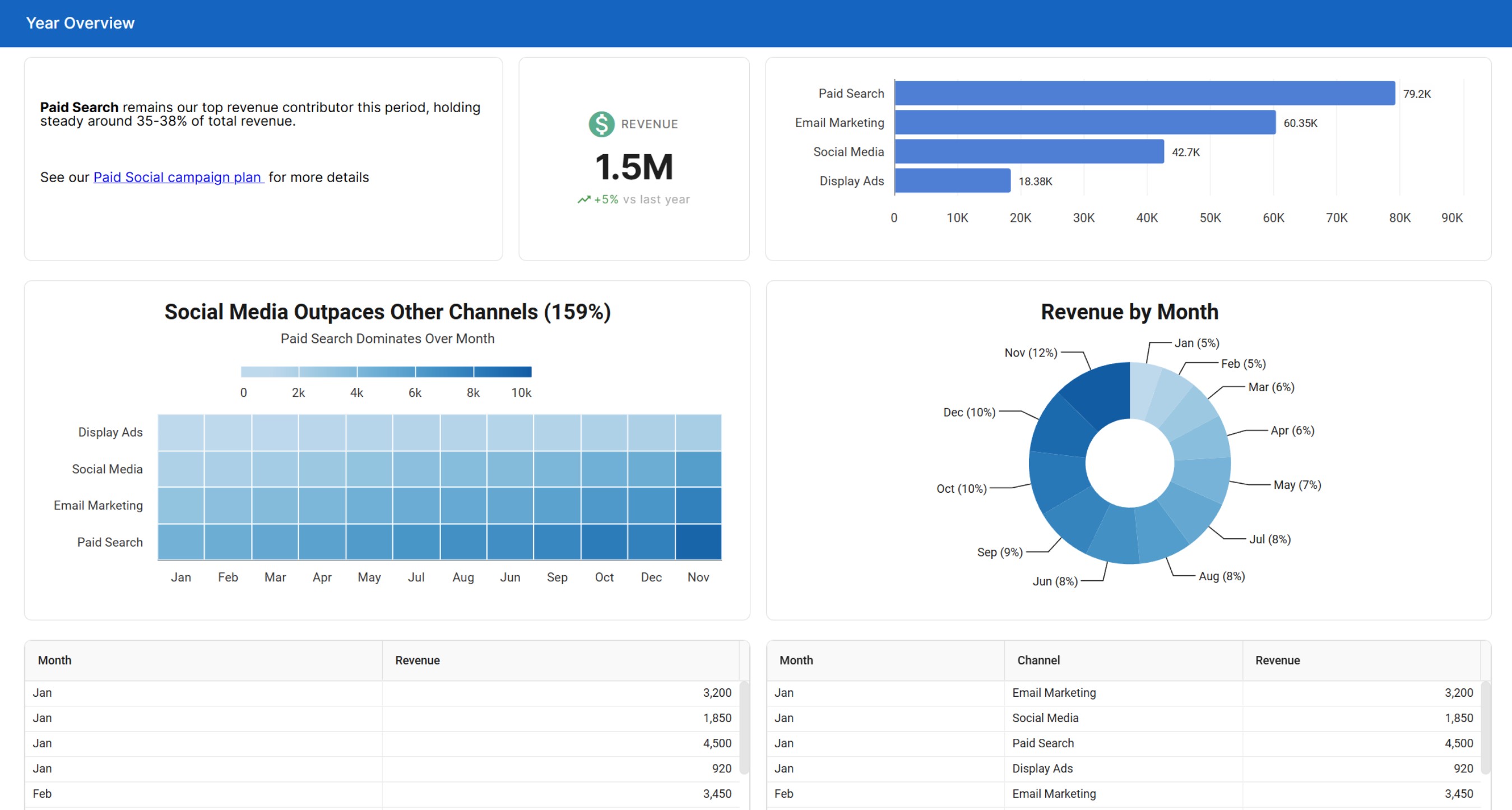
Combine campaign charts, KPI widgets for ROAS and conversions, data tables and text widgets into a single marketing dashboard. Send clients one live link instead of rebuilding a slide deck every month.
KPI Widgets
Call out ROAS, conversions or revenue in large numbers with an icon and a trend such as +12% vs last month.
Slicers by Channel or Campaign
Clients filter every chart and table built from the same sheet by channel, campaign or date range.
Pages & Copies
Give each channel its own dashboard page, and copy a finished dashboard for the next client or quarter.

Connect
Bring in data from every marketing tool
Keep your reports current with live data from your spreadsheets, your CRM and the apps your team already uses.
Google Sheets & Drive
Connect a Google Sheet and sync on a schedule, so charts are current for your next client call.
HubSpot, Salesforce & Stripe
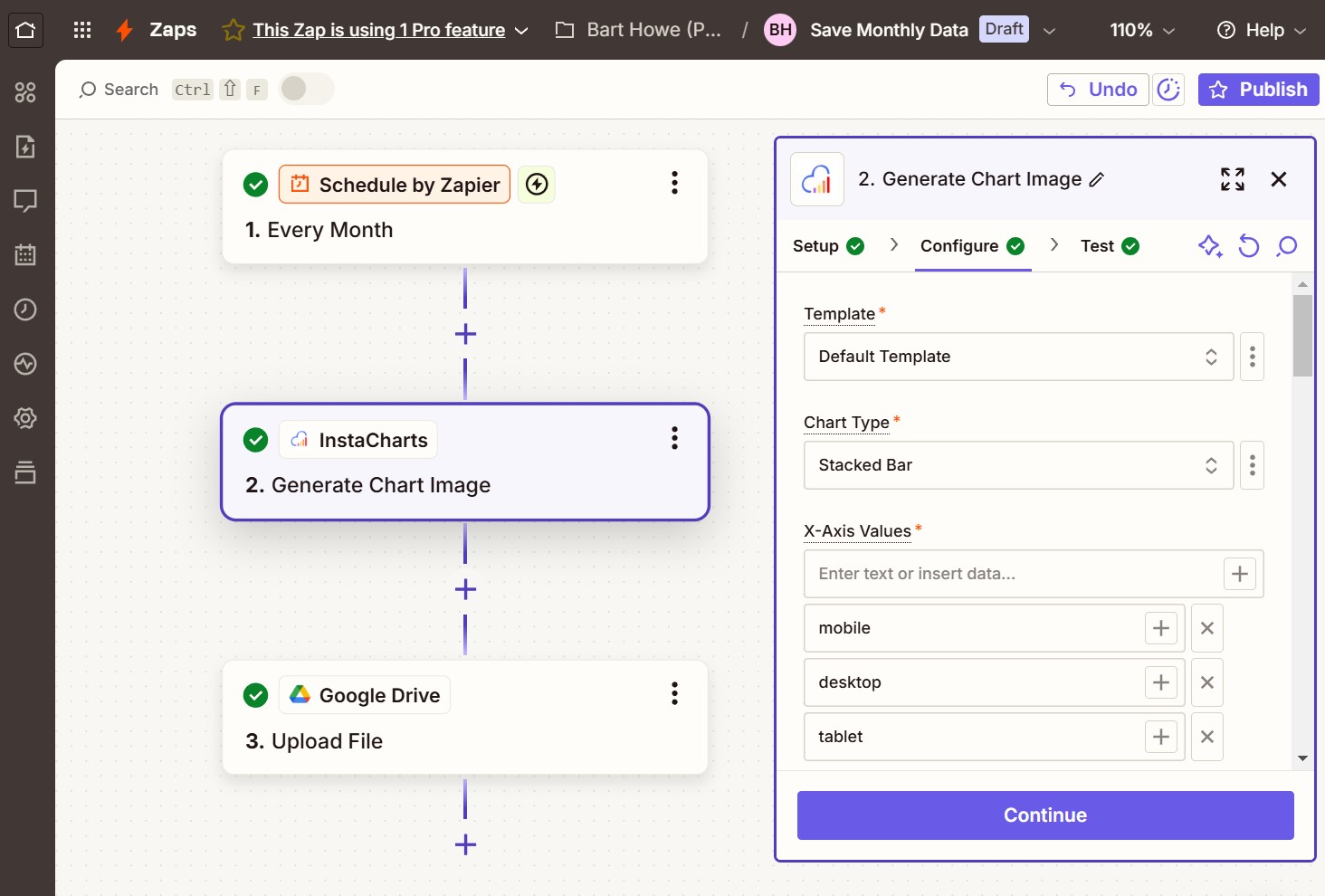
Send new deals, payments and form submissions into your sheets with the Zapier "Add Data Row" action.
Monthly Exports
Append this month's CSV export to last month's data, and every chart keeps its settings.
AI insights
Let AI find the headline in your data
Spend less time staring at spreadsheets and more time explaining results to your clients.
Auto Titles
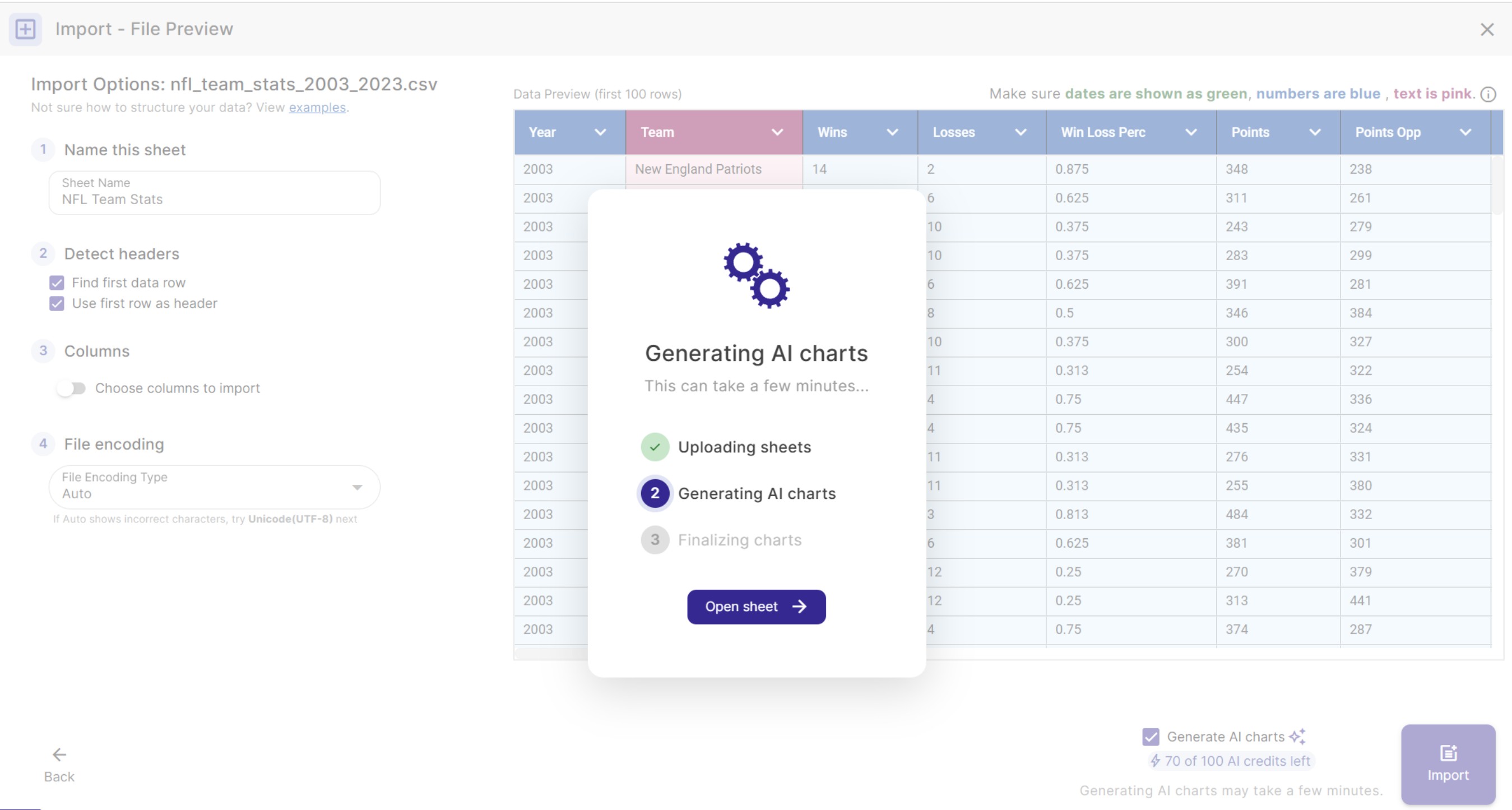
InstaCharts writes insight-driven headlines from the trends and percent changes in your data.
AI Chart Suggestions
Get 3 charts with titles and captions, plus a summary that calls out outliers in your data.
AI Dashboard Builder
Describe the client dashboard you want and AI adds the charts, tables and filters for you.
Features
Everything a Marketer Needs
Shareable Links
Share a public link to any chart, or to a dashboard on paid plans. Clients and stakeholders can view live charts without needing an account.
Proof Your Reports Get Read
Share analytics counts every view of a shared chart or dashboard, all time and over the last 30 days.
Track Campaign Embeds
When a chart is embedded on a landing page or a client site, the top referring pages report shows which URLs are loading it and how many views each one brings in.
Export the Numbers
Download any analytics table as a CSV and drop the view counts straight into your monthly reporting spreadsheet or deck.
Social-Ready Images
Export PNG, JPG and WebP images up to 2,400 pixels wide, with themes like Midnight made for dark social feeds.
Survey & Feedback Charts
Chart multiple choice survey answers and Likert scale questions, and add new Typeform or Google Forms responses as they arrive.
Branding
Reports that match every client's brand
Deliver charts and dashboards that look like they came from your design team.
Themes & Brand Colors
Apply one of 10 chart and dashboard themes, then save brand colors to the workspace for the whole team.
Client Logos
Add logos to charts and to the dashboard header, and store them in Shared Assets for everyone to use.
Fonts & Number Formats
Use Google Fonts and show values as currency, percentages or abbreviated numbers such as 1.2k.
Clients & teams
Work with your team and your clients
Give everyone the right level of access, and keep stakeholders updated without extra meetings.
Free Viewer Seats
Paid workspaces include up to 5 free viewers, so clients get read-only access to their reports.
Editor & Admin Roles
Editors create and edit charts and sheets, and Admins manage members, settings and content.
Scheduled Chart Images
Post chart images to Slack, Microsoft Teams or email every week with the Zapier "Get Chart Image" action.
FAQs
Marketing Charts FAQs
Use a line chart to show traffic, leads or revenue over time, a bar chart to compare channels or campaigns, and a donut or pie chart to show how your budget or traffic splits across sources. Stacked bar charts show how each channel adds up to a total, and scatterplots show the relationship between spend and results. InstaCharts recommends charts based on your columns, so you can start from a good match and switch types with one click.
Upload the CSV or Excel export to InstaCharts. Numbers, currencies, percentages and dates are detected automatically, and recommended charts are set up for your data right away. Change the chart type, axes, colors and titles, then export the chart or share it with a link.
Yes. Connect a Google Sheet or Google Drive file and your charts stay connected to it. Paid plans can sync on a schedule, hourly, daily, weekly, monthly or whenever the original file changes, and free accounts can run 5 manual syncs a day. Charts, dashboards and embeds built on the sheet show the latest numbers at the same link.
Yes. Use the InstaCharts "Add Data Row" action in Zapier to send new deals, payments, form submissions or contacts from HubSpot, Salesforce, Stripe, Typeform, Google Forms and thousands of other apps into an InstaCharts sheet. Every chart and dashboard built on that sheet updates as the data arrives.
Open the sheet and choose "Update Sheet Data" from the sheet menu, pick this month's export and choose "Add rows to this sheet". The new rows are appended to the existing data, columns are matched by name, and every chart keeps its settings and shows the combined numbers.
Yes. Combine charts, data tables, KPI widgets and text widgets into one dashboard, using data from one sheet or several. Turn on pages to give each channel its own page, and copy a finished dashboard to reuse its layout and theme for the next client or next quarter.
A KPI widget shows a headline number in large, easy to read text. You enter the value and label, such as ROAS or Conversions, and can add an icon, a color and a trend such as +12% vs last month. KPI widgets hold the values you enter, while chart and data table widgets update from your sheets.
Yes. Add slicers to the dashboard header for columns such as channel, campaign or region. Viewers pick values from a list or set a date range, and every chart and data table built from that sheet updates to show only the matching rows. Each viewer's choices last for their visit and leave the saved dashboard unchanged.
Yes. Share a chart with a public link that anyone can open in a browser, or embed it on a client site or landing page. Paid plans can also share dashboards publicly with a link, and the client sees the live dashboard with no sign up required.
Yes. Paid workspaces include up to 5 free viewers. Invite clients or stakeholders as Viewers to give them read-only access to your charts and sheets, while Editors and Admins on your team create and manage the reports.
Yes. Add a logo to any chart with an image annotation, and upload logos once to the workspace Shared Assets so the whole team can use them. Paid plans can also add a logo to the dashboard header and save brand colors to the workspace, so every report matches the client's brand.
Yes. Paid plans include share analytics for shared charts and dashboards. See total views, views over the last 30 days with a day by day or month by month trend, and the pages that load your embeds. Views are counted anonymously, so you see how often a report was opened rather than who opened it.
Yes. Turn on Auto Titles and InstaCharts writes a headline from your data, such as 'Sales Increases 80% Over Quarter'. Generate AI charts to get 3 chart suggestions with titles, subtitles and captions, plus a data summary that calls out outliers. On a dashboard, describe what you want in the AI prompt bar and AI adds the widgets for you.
Yes. Use the InstaCharts "Get Chart Image" action in Zapier with a schedule trigger. Zapier renders your chart as an image with its theme, colors and fonts, then posts it to Slack or Microsoft Teams, or emails it to your team every day, week or month.
Export PNG, JPG or WebP images for social posts, and set the chart width and height up to 2,400 pixels to fit each platform. The Midnight theme suits dark social feeds, and Neon and Ember give charts a bold look that stands out in a busy feed.
Yes. InstaCharts detects multiple choice survey answers when you upload a file and charts each choice. Use Likert scale charts for agreement questions, and connect Typeform or Google Forms through Zapier to chart new responses as they arrive.
Yes. The free plan lets you create, export and share charts with up to 500 rows of data per sheet, and includes 5 AI credits a month. Paid plans starting at $10 per user per month remove the row limit and the watermark, and add scheduled syncing, dashboard sharing, share analytics, brand colors and up to 5 free viewers.
Start Building Better Marketing Reports
InstaCharts makes data visualization easy, so you can build clear reports without design experience.