
For Online Publishers & Content Creators
Turn Data Into Interactive Charts for Your Content
Interactive charts boost time-on-page, earn more backlinks, and make your content stand out. Create and embed charts in minutes, with no coding required.
Publish fast
From Spreadsheet to Published Chart in Minutes
Paste in your data or import a CSV and InstaCharts builds a clean, interactive chart instantly. Publish it while the topic is still trending; no design skills or developer needed.
Platforms
Works With Every Publishing Platform
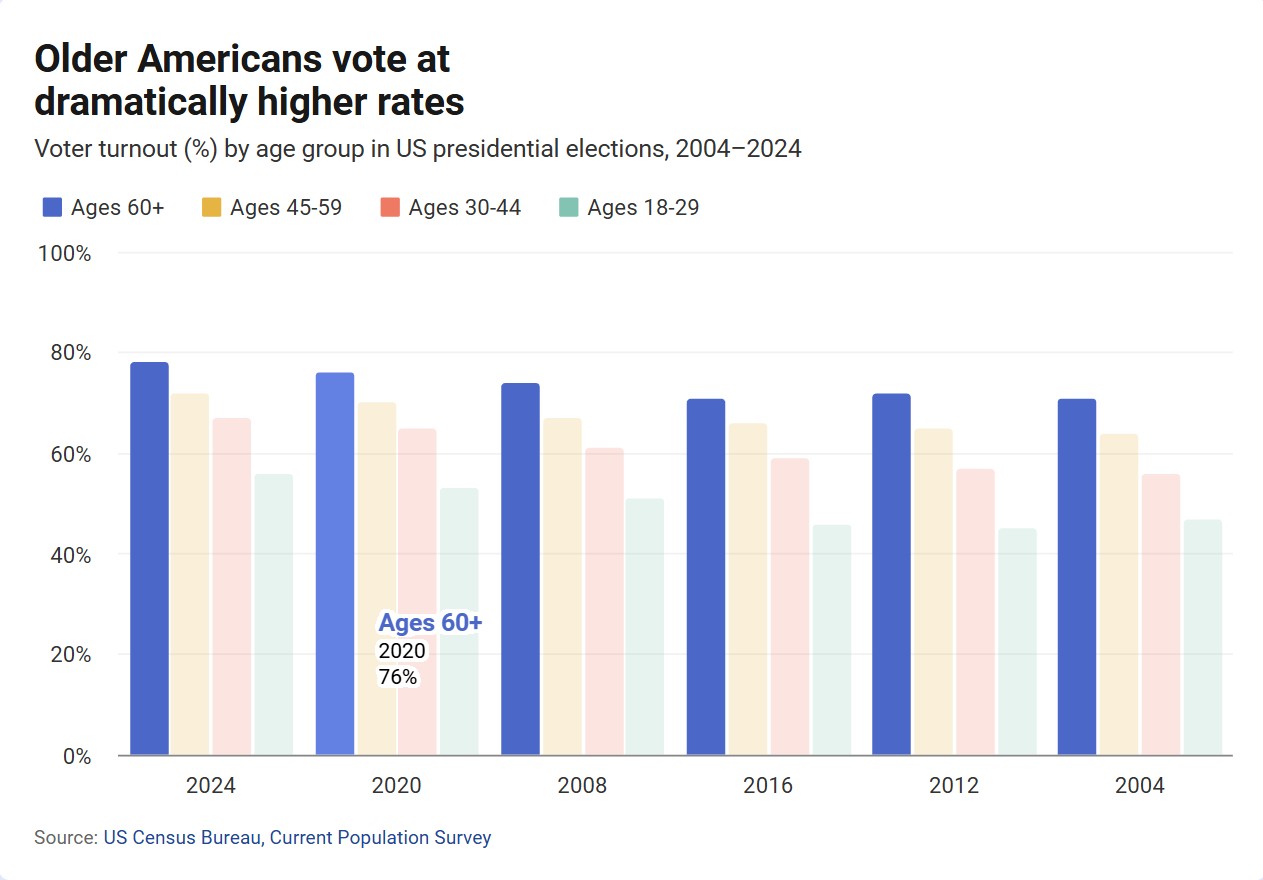
One embed code: Drop an interactive chart into any platform without touching a line of code.
Works with:
- WordPress
- Ghost
- Webflow
- Wix
- Squarespace
- Custom CMS
- Newsletter tools
- PDF editions
Interactive
Charts readers want to explore
Give readers more to do than scroll past a static image, right inside your article.
Rich Tooltips
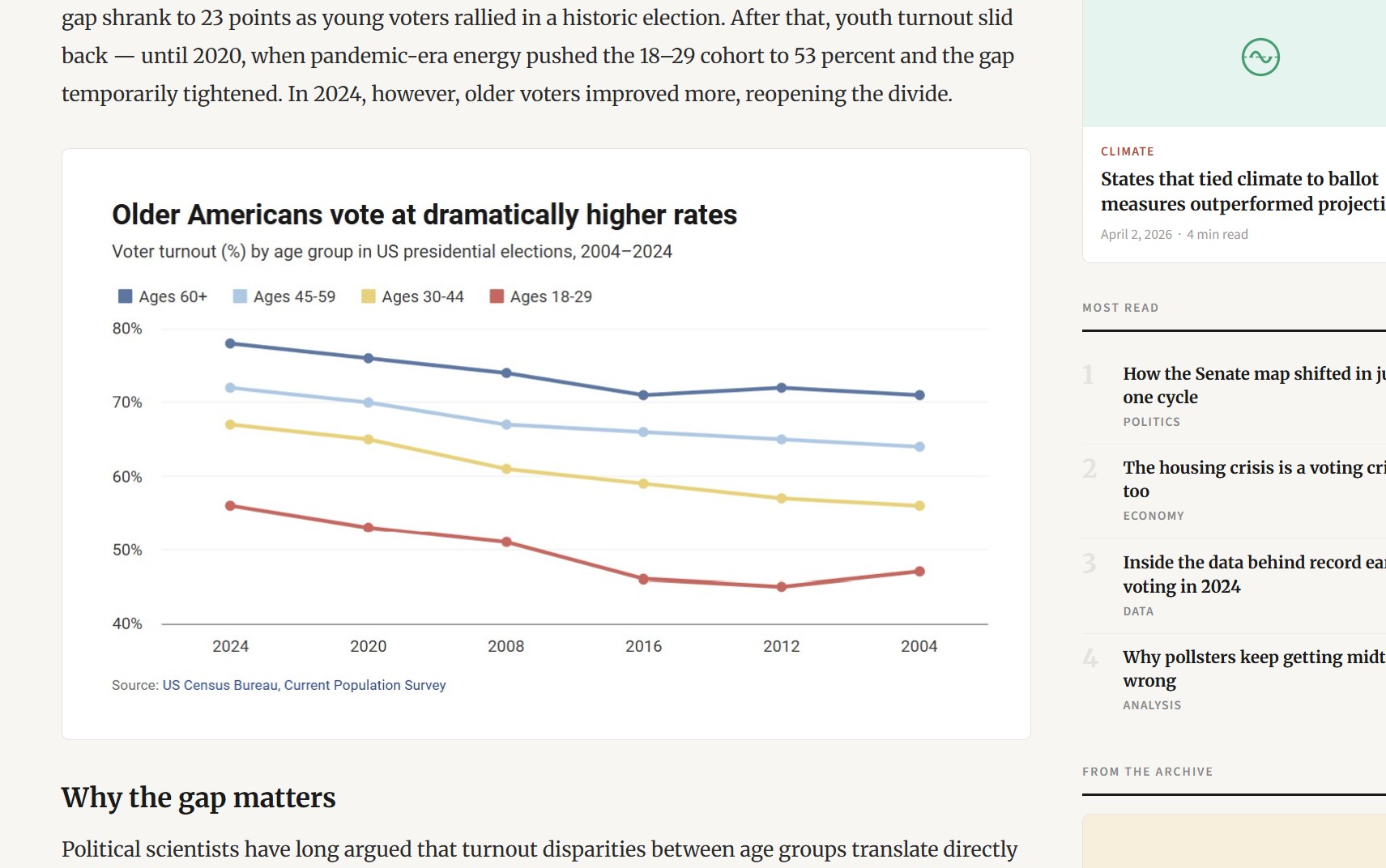
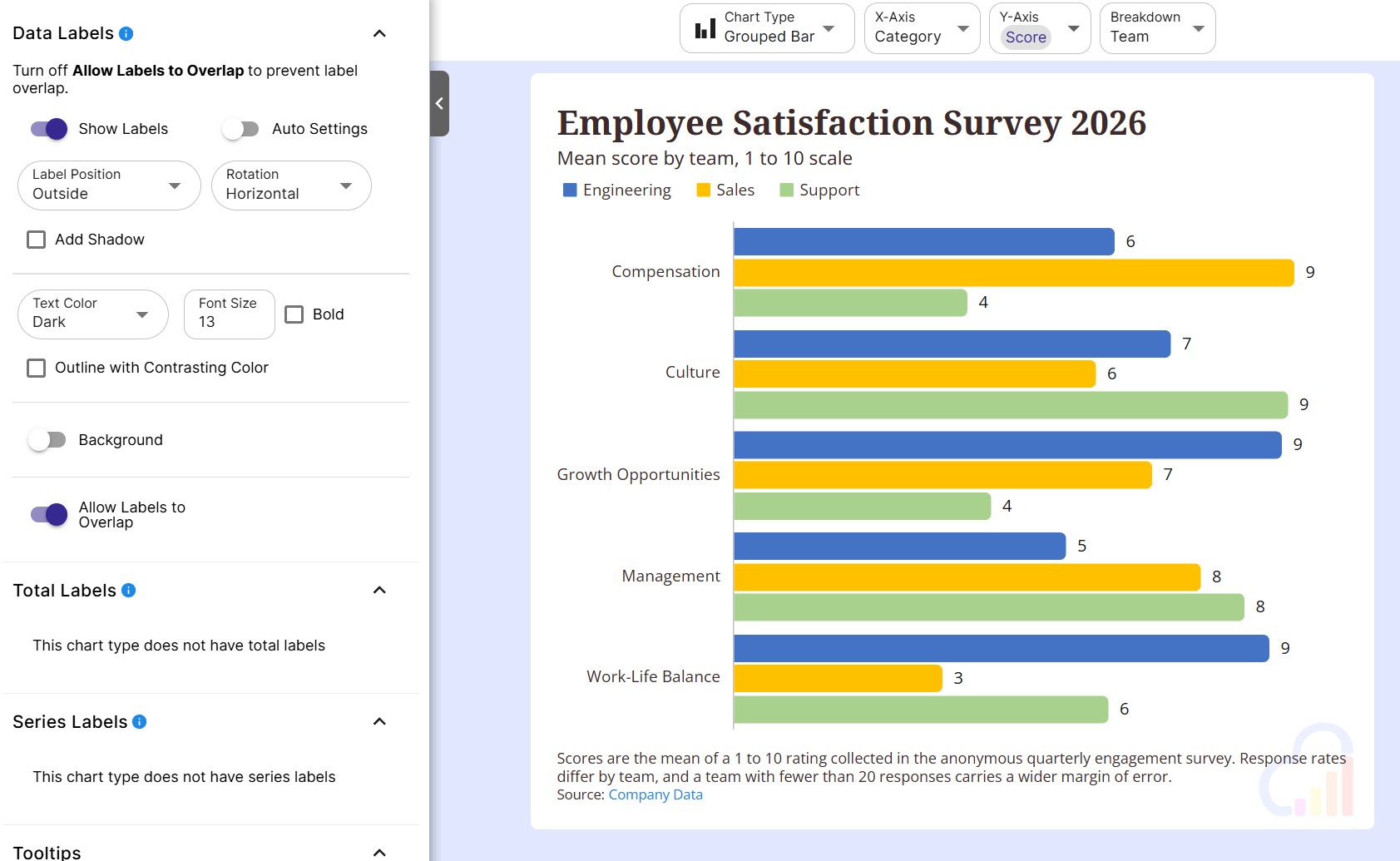
Readers hover over a point to see its value, plus any extra columns you choose to show.
Chart & Data Views
Readers switch from the chart to the full dataset or the plotted data with the embed toolbar.
Mobile Friendly Embeds
Responsive embeds redraw the chart to fit phones, tablets and desktops with full size text.
Data stories
Charts that tell the story for you
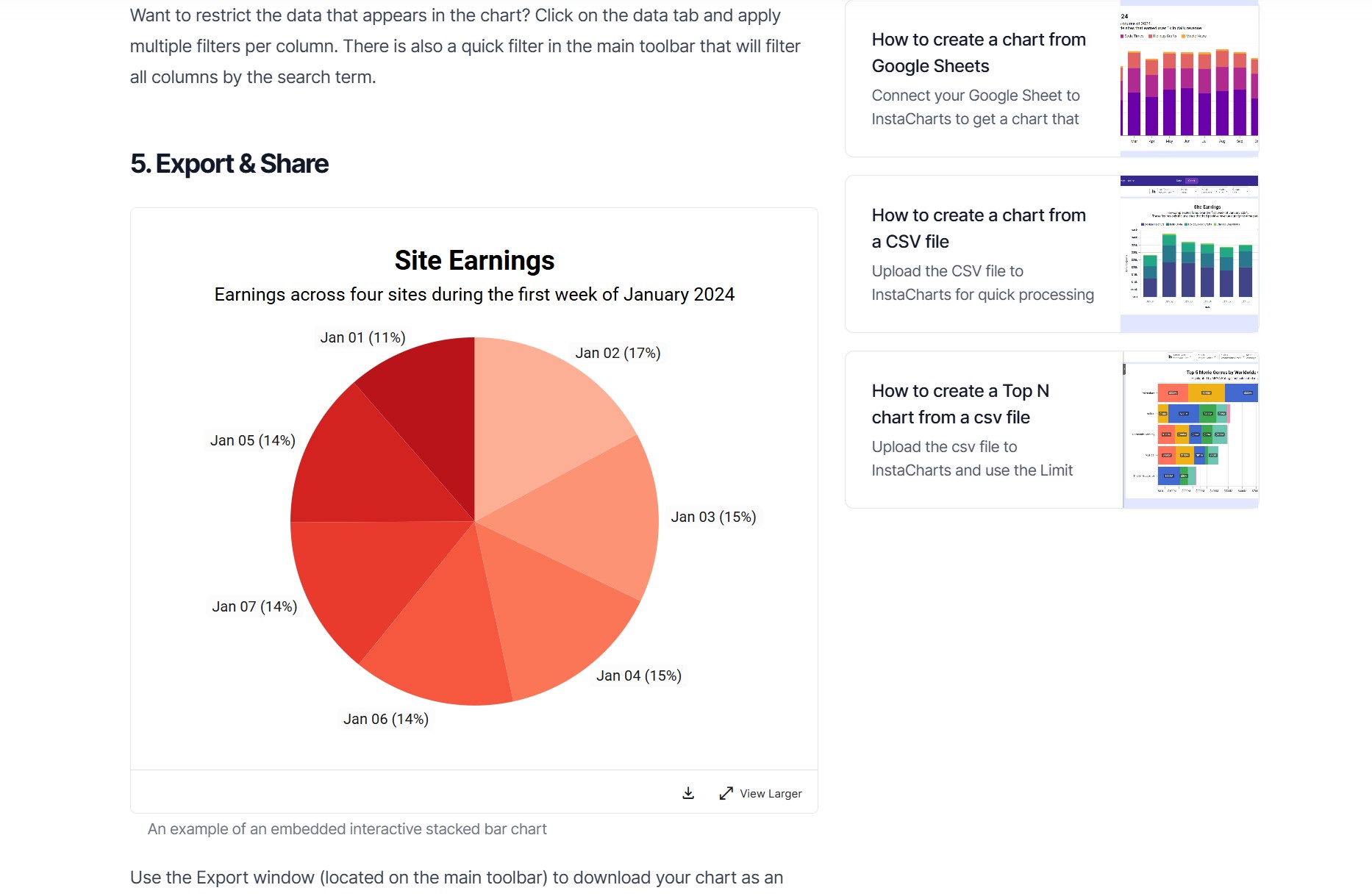
Lead readers to the takeaway with a clear headline, highlighted points and a cited source.
Auto Titles
InstaCharts writes an insight-driven headline from the trends and percent changes in your data.
Annotations & Trend Lines
Highlight key moments with text annotations, and add an average or a line of best fit.
Caption & Source
Add a caption, source text and a source link so readers and other sites see where the numbers come from.
Features
Why Online Publishers Love InstaCharts
More Time on Page
Interactive charts invite readers to explore your data. Hover states and tooltips increase the time readers spend engaged with your content.
More Backlinks & Shares
Original data visualizations are among the most-linked content on the web. Give other sites a reason to cite and embed your work.
Publish Quickly
Import your data, pick a chart type, and publish your chart before a competitor covers the same story.
See Who Republished You
Share analytics ranks the pages loading your embedded charts by view count, so you can see which sites picked up your graphic and follow up for a credit or a link.
Measure Every Chart
Track views for each chart, all time and over the last 30 days, split between people opening the share link and people loading the embed on another site.
Report on Your Data Stories
Export view counts and referring pages to CSV to show an editor or a sponsor exactly how much reach a data story earned.
Live data
Keep developing stories up to date
Update the data behind a chart and every article that embeds it shows the new numbers. Your embed code stays the same.
Sync From Google Sheets
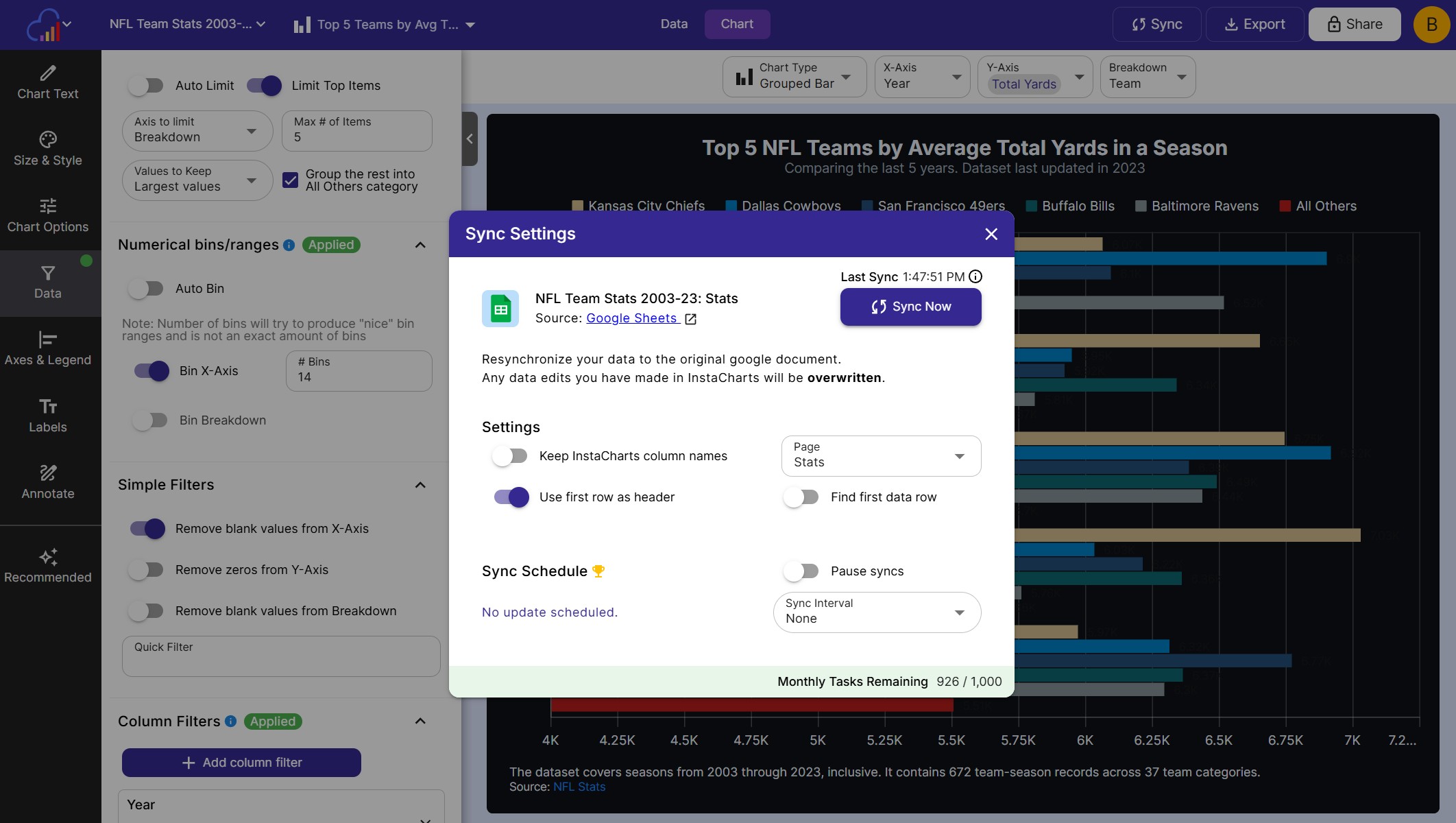
Sync whenever the original sheet changes, ideal for election results, sports stats and running tallies.
Update From a File
Overwrite the data, append rows or add columns with a newer file, and your charts keep their settings.
Chart Templates
Turn a chart into a template and pass new data in the URL to publish matching charts across many pages.
Your brand
Get credit for every chart you publish
Style charts to match your publication, and keep your name on them wherever they travel.
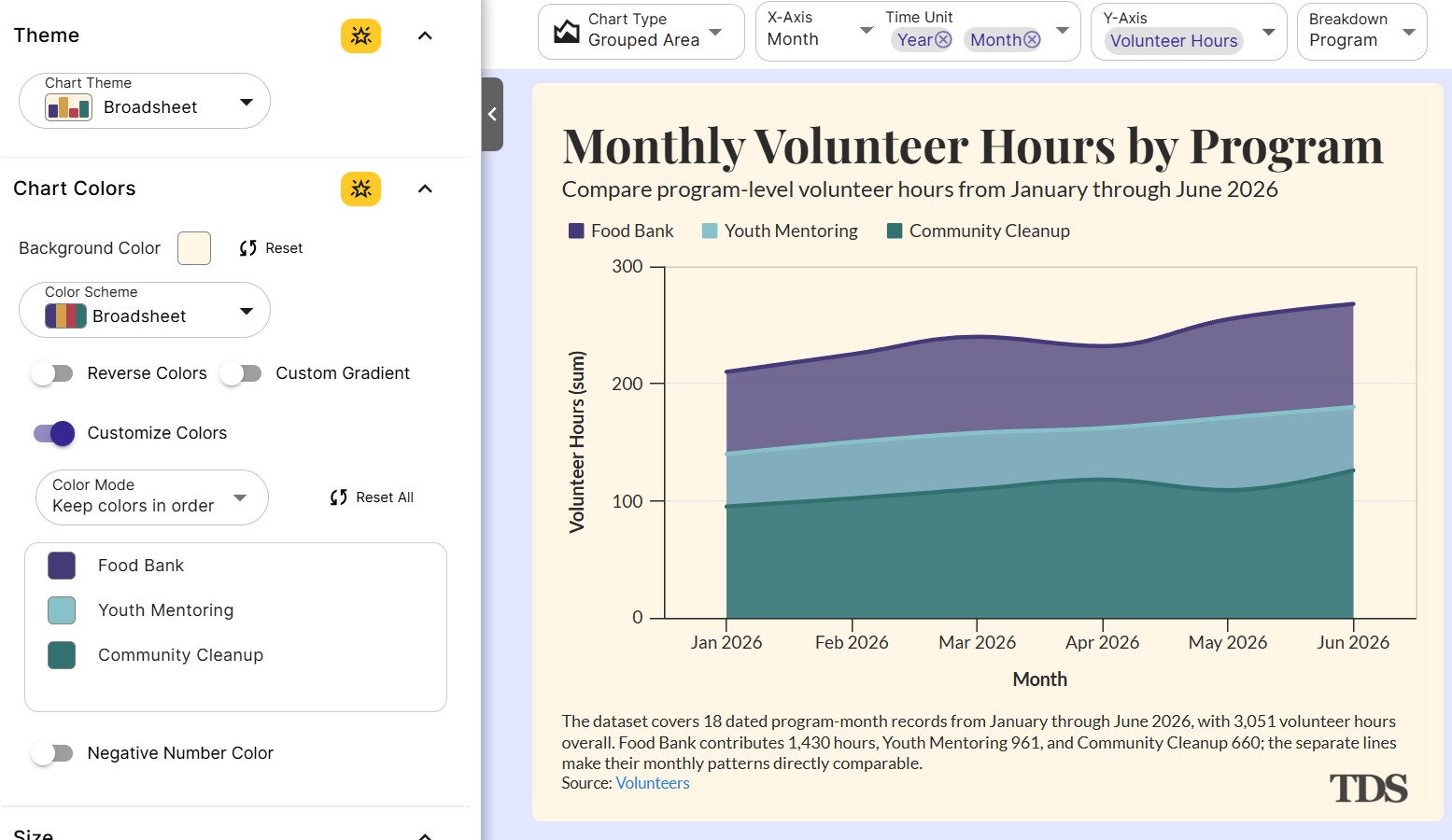
Newsroom Themes
Apply Broadsheet for a newspaper look, or one of 9 other themes, and match your colors and Google Fonts.
Logos & Watermarks
Add your logo to any chart with an image annotation so embeds and images carry your brand.
Control Who Can Embed
Whitelist the domains allowed to load your embeds so your charts only appear on sites you approve.
Repurpose
One dataset, every channel
Turn a single data story into an article chart, a sortable table, a newsletter image and a social post.
Sortable Tables
Embed rankings, statistics and directories as tables readers can sort and search.
Newsletter Images
Use a public image URL or an exported PNG to add your chart to newsletters and emails.
Social Media Images
Export PNG, JPG and WebP images up to 2,400 pixels wide to promote your story on social media.

FAQs
Charts for Publishers FAQs
Interactive charts let readers hover over a point to see the exact value, switch to the data behind the chart and open a larger view. Original charts give readers a clear takeaway at a glance, and other sites have a graphic worth citing and linking to when they cover the same topic.
Create a chart, open the share dialog and copy the embed code from the "Embed in a webpage" tab. In WordPress, add a Custom HTML block and paste the code. In Ghost, add an HTML card. The same steps work for the HTML or embed blocks in Webflow, Wix, Squarespace and custom CMS templates.
Newsletters and email tools display images, so export the chart as a PNG or JPG and add it to your issue, or turn on image sharing to get a public image URL. Link the image to the interactive version of the chart on your website so readers can explore the full data.
Yes. The responsive embed code resizes the frame to fit the chart, and responsive chart sizing redraws the chart for the space it has, so text stays full size on phones. On very small embeds the embed toolbar collapses into one menu to save room.
Yes. Include the Full Dataset and Plotted Data views in your share settings, and readers can switch from the chart to a sortable, filterable data table using the embed toolbar. Showing the numbers behind a chart builds trust in your reporting.
Connect a Google Sheet and set the sync schedule to update whenever the original sheet changes. Edit the sheet as results come in, and the embedded chart shows the new numbers on every page that uses it. Google can take up to 5 minutes to send changes through, and scheduled syncing is available on paid plans.
The embed code stays the same. Update the sheet with a newer file, sync it from Google Sheets or add rows through Zapier, and every article that embeds the chart shows the latest data with zero edits to your posts.
Add a caption under the chart with source text and a source link to the original data. The source travels with the chart, so it stays attached when other sites embed your graphic or readers share it.
Yes. Paid plans include share analytics with a top referring pages report that ranks the URLs loading your embedded chart by view count, for the last 30 days and all time. Use it to find sites that picked up your graphic and ask for a credit or a link.
Yes. Paid plans can turn on Whitelist Domains in the share settings and list the domains and subdomains allowed to load the embed. Turn off Allow Top Level Loading to keep the chart viewable only as an embed on your approved sites.
Yes. Add your logo or a watermark to any chart with an image annotation, and add a caption with your publication's name. The logo is part of the chart, so it appears in embeds, shared links and exported images.
The Broadsheet theme styles charts like a newspaper data graphic. InstaCharts includes 10 themes in total, such as Midnight for dark pages and Financial for market coverage, and you can match any theme to your site's colors and Google Fonts.
Yes. Turn a chart into a template in the Templates tab of the share dialog, then pass new data in the URL to create an interactive chart page, an embed or a chart image with the same styling. Templates suit sites that publish the same kind of chart across many pages.
Yes. Share the full dataset of a sheet and embed it as a sortable, filterable data table. Readers can sort any column and search the rows, which suits rankings, price comparisons, statistics and directories.
Yes. Export charts as PNG, JPG or WebP images and set the chart width and height up to 2,400 pixels to fit each platform. Promote a data story on social media with the image, and link back to the interactive chart in your article.
Embeds on the free plan include a small InstaCharts link, and charts include a small watermark. Paid plans remove the watermark and the InstaCharts link, so embedded charts carry only your own branding.
Yes. The free plan lets you create, embed and export charts with up to 500 rows of data per sheet. Paid plans starting at $10 per user per month remove the row limit and the watermark, and add share analytics, domain whitelisting and scheduled syncing.
Start Publishing Charts That Drive Traffic
InstaCharts makes data visualization easy, so you can build clear reports without design experience.